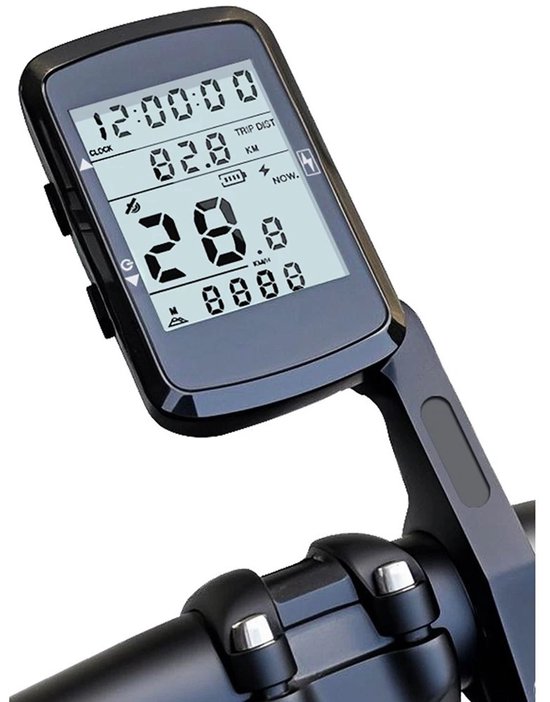
Bike GPS
Fietscomputer met snelheidsmeter en kilometerteller
This wireless bike computer shows speed and distance. The title also mentions navigation but gives no detail on maps or GPS.
What you get
- Wireless bike computer
- Speedometer and odometer
- Navigation mentioned in the title
Why a bike GPS?
A GPS is built for the handlebar. The screen stays readable in bright sun, the controls work with gloves and the case copes with splashes and rain. A phone on your stem does much of the same, but it runs flat sooner and copes less well with moisture and vibration.
Battery life is the first thing to check. Compact models with a small screen typically manage 15 to 30 hours or more. Large colour touchscreens are often around 10 to 20 hours. A bright backlight and active turn-by-turn navigation pull those numbers down, and so does cold weather. Power-saving modes can double the runtime, at the cost of a dimmer screen or a slower update rate.
Then there are the maps. Some units carry a full map with address search and automatic rerouting if you leave the course. Others only draw a line (a gpx track) and warn you when you drift off it. A full map is handy when you set out without a plan, and the line is enough when you follow a route you prepared beforehand.
Finally, sensors. Almost every GPS talks over ANT+ and Bluetooth to a heart rate strap, power meter, cadence sensor, radar light or electronic shifting. You can show that data on screen and keep it with the ride.
How bike GPS types compare
The type mostly decides screen, battery and navigation. The figures are guidelines.
| Type | Screen | Battery | Navigation | Suits |
|---|---|---|---|---|
| Compact | Small, mono or basic colour | About 15 to 30+ hours | Gpx line, sometimes basic | Training and long rides |
| Mid-range colour | Colour, buttons or touch | About 12 to 24 hours | Map with turn prompts | All-round and gravel |
| Large touchscreen | Large colour, 3 to 3.5 in | About 10 to 20 hours | Full map, search, rerouting | Touring and unfamiliar areas |
| Phone on a mount | Large, bright, less rugged | A few hours with screen on | Full, needs signal or offline map | Occasional rides |
Battery life depends on the model, screen brightness, sensors and temperature.
Choose it if
- You want speed and distance without mounting your phone
- You want a simple computer for every day
- You ride long or unfamiliar routes often and want to see the way without stopping.
- You want heart rate, power or radar combined on one screen.
Choose something else if
- You want to follow a route with maps: check what the navigation really does first
- You ride short, familiar loops. A simple bike computer is enough then.
- You only want to review the ride afterwards. A phone app in your pocket does the job.
How to use a bike GPS
Charge and update
Charge the unit fully and install the latest firmware and maps over wifi or the app.
Mount it on the bars
Fit the mount to the bar or stem, click the unit in and check that nothing wobbles or rubs your cables.
Pair your sensors
Search for sensors in the menu and pick the right type for each. Spin the crank or put on the strap to wake them.
Load a route
Send a gpx file or a route from your app to the unit. Before you leave, check that the turns and the distance look right.
Set up your data pages
Pick a few fields per page, for example speed, distance and time. Too many numbers are hard to read on the move.
Start, ride and save
Wait for a GPS fix, start recording and save the ride at the end. It then syncs with your app.
Good to know
- The title lists no GPS or map feature, so read the description
- Check the bar mount and the battery
- Check that the mount fits your bar and stem. Every make has its own click mechanism.
- A gpx route shows a line. Real turn prompts only appear when the unit or app calculates or converts the route itself.
- Cold and a bright backlight shorten the battery. Take a power bank for a long day.
- Check the waterproof rating (IPX7 or better) if you also ride in the rain.
Also in this category
- Geoid CC700 gps-fietscomputer 2,8 inch1 shop · Amazon.nl€59.99
- iGPSport BSC200S gps-fietscomputer1 shop · Amazon.com.be€69.99
- Geoid CC600 gps-fietscomputer1 shop · Amazon.nl€49.99
- iGPSport BSC500 fietscomputer met kaart en navigatie2 shops · Amazon.nl, Amazon.com.befrom €159.99
- Geoid CC700 Pro gps-fietscomputer 2,8 inch1 shop · Amazon.nl€99.99
- iGPSport BSC300T fietsmeter met 2,4 inch touchscreen1 shop · Amazon.com.be€119.99


