Bike computers
SPGOOD draadloze fietscomputer
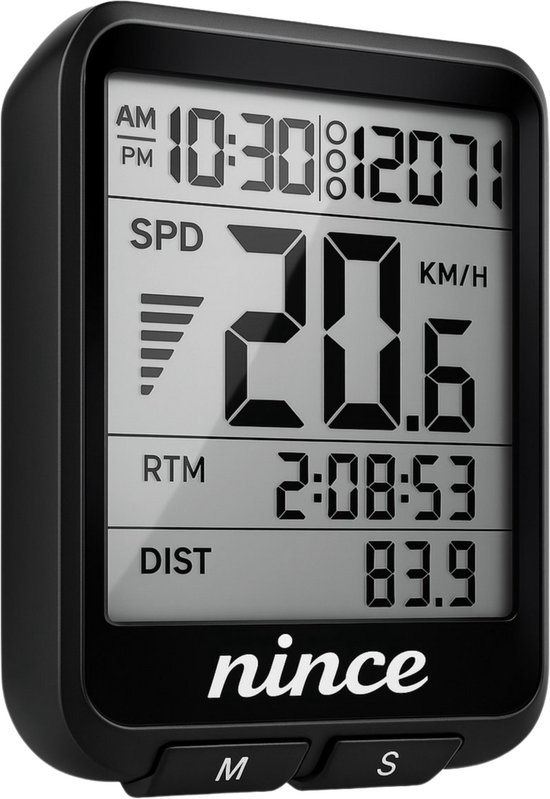
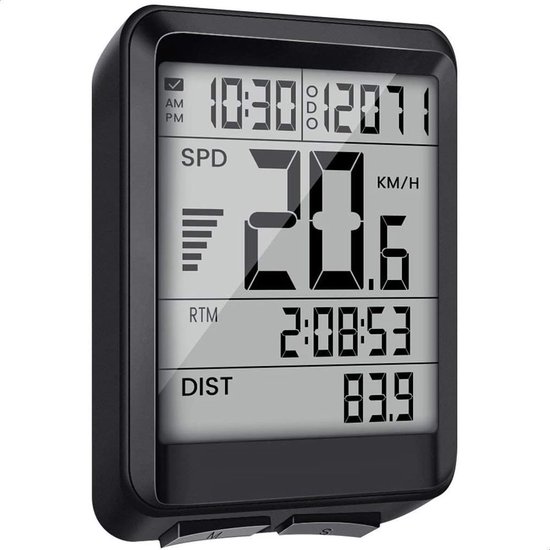
A black wireless SPGOOD bike computer with 19 functions, a basic speed and distance unit.
What you get
- 19 functions
- Wireless
- IP54 water resistant
Why a bike computer?
A bike computer gives you numbers to steer by. Speed and distance let you pace a ride, and cadence and heart rate make training more targeted. These units are small, light and built to last for years on your bars.
With a magnet sensor, a small sensor counts how often a magnet passes it on your spoke or hub. The computer multiplies that by the wheel circumference you enter, about 2100 mm for a 700x25c wheel. If your circumference is 20 mm off, your distance is off by about 1 percent. A GPS measures distance and speed using satellites. That is usually accurate to within 1 to 2 percent on distance, but tunnels, dense forest and tall buildings disturb the signal, and the speed reading reacts a little more slowly.
For altitude there are two methods. A barometer measures air pressure and converts it. It shows small height changes quite accurately, to within a few metres, but weather moves the pressure, so the absolute value drifts over a day. GPS altitude comes from satellite positions and is far less accurate, often tens of metres out. If you want climbing metres you can trust, pick a model with a barometer.
A simple magnet model needs little upkeep and its battery lasts a season. A GPS computer stores your ride, follows a route and syncs with an app, but it needs charging.
How bike computers compare
How a unit measures decides how accurate speed and altitude are.
| Type | Speed and distance | Altitude | Battery | Setup |
|---|---|---|---|---|
| Wired with magnet | Very stable if circumference is right | Usually not available | About a year (coin cell) | Route cable, fit magnet |
| Wireless with magnet | Good, but interference can occur | Sometimes with barometer | Months to a season | Align sensor and magnet |
| GPS computer | Within 1 to 2% on distance, slower speed | GPS altitude, tens of metres off | About 15 to 30+ hours | No circumference needed |
| GPS with barometer | As GPS, even under trees | Barometer, accurate to a few metres | About 15 to 30+ hours | Calibrate altitude once |
Guideline values. Each model works a little differently.
Choose it if
- You want speed and distance without fuss
- You want a simple basic model
- You want speed and distance without fuss and without constant charging.
- You want to track climbing or cadence, and you choose a barometer on purpose.
Choose something else if
- You need GPS, navigation and app sync
- You want to navigate or upload your ride. Then you need a bike GPS.
- You swap bikes often and do not want to move a sensor and magnet each time.
How to use a bike computer
Mount the bracket
Fit the bracket to the bar or stem and click the computer in. Pick an angle you can read without moving your head.
Place sensor and magnet
Put the magnet on a spoke and the sensor on the fork, about 2 to 4 mm apart. With a GPS computer, skip this step.
Set the wheel circumference
Use the maker’s table, or roll the wheel one full turn and measure. A test over a known distance gives the best value.
Calibrate altitude
On a model with a barometer, set the altitude at a known point, such as home. Your climbing figures then stay reliable.
Choose your fields
Show a few fields at once, for example speed, distance and time. Look at the rest after the ride.
Good to know
- IP54 covers splashes, not immersion
- Set the wheel circumference correctly
- Check the wheel circumference after every tyre change. A different tyre width changes it by a few millimetres.
- A wireless sensor can drop out because of interference or a weak battery. Keep the distance to the computer short.
- GPS altitude is an estimate. Do not compare your climbing too strictly with a unit that has a barometer.
- Replace the battery in the sensor and computer in good time, before a long ride.
Also in this category
- Uraqt fietscomputer 19 functies1 shop · Amazon.com.be€9.99
- SPGOOD draadloze fietscomputer 21 functies1 shop · Amazon.nl€15.99
- Nince draadloze fietscomputer1 shop · bol€24.95
- Draadloze waterdichte fietscomputer1 shop · Amazon.nl€13.90
- Sigma Sport BC 5.0 WR fietscomputer1 shop · Amazon.com.be€15.00
- Strex draadloze fietscomputer1 shop · bol€21.95