Heart rate monitors
Garmin HRM-200 hartslagband
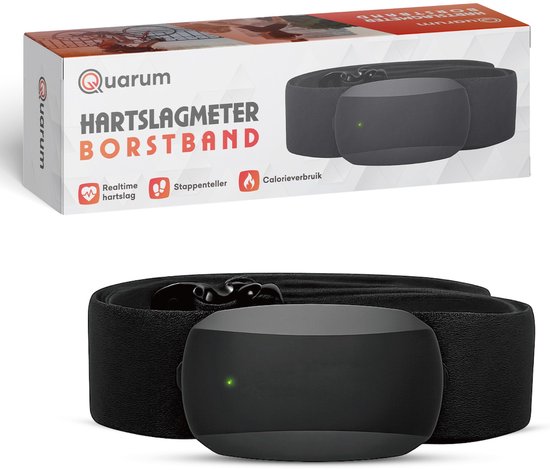
The Garmin HRM-200 is a heart rate strap with HRV data and a 3 ATM water rating. It records your heart rate on training sessions and rides.
What you get
- Heart rate strap
- HRV data
- 3 ATM water rating
Why a heart rate monitor?
Your heart rate is a direct measure of how hard your body is working. With zones, you ride easy endurance rides truly easy and hard intervals truly hard. Many cyclists ride their easy days too fast and their hard days too soft. A heart rate monitor helps you correct that.
There are two ways to measure. A chest strap reads the electrical signals of your heart, like an ECG, and so lands very close to the true value. It responds within a few seconds of an effort. An optical sensor shines light into your skin and measures blood flow (PPG). That works well at steady effort, but often lags 10 to 30 seconds behind on short intervals and can drift with a loose band, cold hands, a tattoo, or a rhythm that matches your pedalling cadence.
An optical sensor on the upper arm or forearm is usually more accurate than one on the wrist, because it sits more steadily and moves less. A wrist watch is the easiest for everyday use, but the most sensitive of the three when it comes to measurement.
Heart rate does not say everything. Heat, caffeine, sleep, stress and even a poor night push your numbers up or down. Treat it as a guide and look at the whole picture over several days.
Chest strap versus optical
All three measure your heart rate, but in different ways.
| Type | Accuracy | Response | Comfort | Best for |
|---|---|---|---|---|
| Chest strap | Very high, close to ECG | Within a few seconds | Noticeable, elastic round the chest | Intervals, racing, training |
| Optical on the arm | High, just below the chest strap | About 5 to 15 seconds | Good, no chest strap | Endurance rides, no strap wanted |
| Optical on the wrist | Fair, more sensitive to disturbance | Often 10 to 30 seconds behind | Very good, worn all day | Everyday use, steady riding |
A guide. Fit, skin and temperature strongly affect optical readings.
Choose it if
- You want to track heart rate in your training
- You already use a Garmin watch or computer
- You want to train in zones and time intervals exactly: choose a chest strap.
- You want something easy to wear that you forget about: choose an optical armband.
Choose something else if
- You prefer measuring at the wrist
- You ride rarely and feel is enough. A heart rate monitor adds little then.
- You have a heart condition or take medication that affects your pulse. Ask your doctor how best to use the numbers.
How to use a heart rate monitor
Moisten the skin
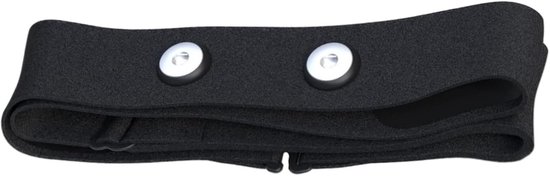
Wet the electrodes of a chest strap with water or electrode gel. Dry skin gives an erratic or missing signal.
Wear it in the right place
Wear a chest strap snug below the chest. An armband goes on the upper arm or forearm, a watch about a finger-width above the wrist.
Pair with your device
Search for the sensor over ANT+ or Bluetooth on your bike computer or in your app. Check that a number shows up within a few seconds.
Set your zones
Use your maximum or threshold heart rate from a test to set zones. The formula 220 minus age is only a rough estimate.
Ride and clean
Rinse the strap with lukewarm water after each ride and let it dry. Take the pod off before washing it.
Good to know
- Check that your bike computer or watch supports the strap
- A chest strap needs a good fit against the skin
- A chest strap wears out: the elastic loses tension and the electrodes age, usually after a year or two of heavy use.
- The battery in a strap typically lasts a full season or more. Replace it if the signal turns erratic.
- Optical sensors give less reliable readings in cold weather and under tight gloves.
- Check that the sensor supports both ANT+ and Bluetooth, so it works with your computer and your app.
Also in this category
- iGPSport HR50 hartslagband1 shop · Amazon.com.be€29.99
- Quarum hartslagband Bluetooth1 shop · bol€49.95
- Polar H10 hartslagband1 shop · Amazon.nl€84.95
- Geoid HS500 hartslagband1 shop · Amazon.nl€21.99
- Verstelbare hartslagband Bluetooth en ANT+1 shop · bol€25.18
- Hartslagband1 shop · bol€28.92